VBA Concatenate in Excel — & vs + and the Null Trap That Breaks Your Strings
VBA has two ways to join text — & and + — and only one is safe. Learn why & is the only string glue you should trust, the Null trap behind +, and when to switch to Join.
Expert guides on Excel formulas, VBA automation, data processing, and AI-powered productivity. Learn to master Excel with AI.

VBA has two ways to join text — & and + — and only one is safe. Learn why & is the only string glue you should trust, the Null trap behind +, and when to switch to Join.

UCase and LCase aren't for storing data — they're for comparing and displaying it. Learn why VBA's = is case-sensitive, how to compare without changing your data, and why StrConv ruins names like McDonald.

VBA's Str function hides two traps — a leading space in front of positive numbers and a locale-blind decimal point. Learn when Str helps, why CStr is the safer default, and how to convert numbers to text the right way.

ThisWorkbook is the file your code lives in; ActiveWorkbook is whatever is in front right now — and confusing them is why VBA macros read, write, and save the wrong workbook.

A worksheet has three handles — tab name, CodeName, and index — and two of them break when users rename or reorder sheets. Here's which reference to use and why Sheets isn't Worksheets.

ActiveSheet, ActiveCell and Selection are global mutable state that changes under your macro. Here's why an unqualified Range silently writes to the wrong sheet — and the one habit that fixes it.

VBA has two ways to call VLOOKUP, and one crashes on a missing value while the other returns a testable error. The mental model, the loop that turns VLOOKUP into an O(n²) trap, and the Dictionary fix. Tested on Excel 365, 2021, 2019.

The macro recorder teaches Select, Copy, Paste — three steps through the clipboard that are slow, fragile, and easily interrupted. The mental model, why .Value = .Value beats it, and when PasteSpecial is still right. Tested on Excel 365, 2021, 2019.

Sending Outlook email from Excel VBA is late binding plus a security wall — and a bridge Microsoft is dismantling. The mental model, CreateObject vs a reference, .Display vs .Send, and what New Outlook kills. Tested on Excel 365, 2021, 2019.

VBA Trim only strips the ends, not the spaces inside — and it ignores the Chr(160) non-breaking space that web and PDF paste leaves behind. The mental model, the one normalize function to use, and when each tool wins. Tested on Excel 365, 2021, 2019.

VBA Format turns a value into a display string — it never changes what the value IS. The mental model, the format codes that matter, the m-means-month trap, and why writing Format() into a cell quietly breaks SUM and sort. Tested on Excel 365, 2021, 2019.

CStr, CDate and Val change what a value IS, not just how it looks. The mental model, the locale trap that makes CDate read 01/02 as Jan 2 on one PC and Feb 1 on another, why Val quietly truncates European decimals, and the DateSerial fix. Tested on Excel 365, 2021, 2019.

VBA Split explained as the un-concatenate: one delimited string becomes a zero-based array. The off-by-one that drops your first field, why it is not a CSV parser, and when to reach for it. Tested on Excel 365, 2021, 2019.

VBA Mid, Left and Right explained as cutting a string by coordinates. The 1-indexed off-by-one, why Mid is also a statement, and when position-based extraction is the wrong tool. Tested on Excel 365, 2021, 2019.

VBA Replace explained as code-level Find & Replace: every match, in one pass. Why it's case-sensitive by default, the Start argument that silently truncates your string, and when Range.Replace beats it. Tested on Excel 365, 2021, 2019.

VBA has no try/catch — robust error handling is one structure: arm a handler, run, route every exit through a single cleanup point, then Resume. The Resume rule, re-raising, and the cleanup point that saves your file. Tested on Excel 365, 2021, 2019.

VBA On Error explained as a switch that decides where a macro goes after it hits a runtime error. Resume Next vs GoTo a handler vs GoTo 0, the one rule that stops bugs hiding. Tested on Excel 365, 2021, 2019.

The VBA Err object is the black box of a runtime error: Err.Number, Err.Description and Err.Source tell you what broke, and Err.Raise lets you throw your own. When it auto-clears and why it matters. Tested on Excel 365, 2021, 2019.

VBA Sub explained the way it works: a Sub is a named action, your macro IS a Sub, and the parentheses rule for calling one is behind half the compile errors. Copy-paste examples, tested on Excel 365, 2021, 2019.

VBA Function explained: return a value by assigning to the function's own name (not Return), turn it into a custom worksheet function you can type in a cell, and know when to use a Function vs a Sub. Tested on Excel 365, 2021, 2019.

VBA ByRef vs ByVal explained: ByRef passes the original variable (changes stick), ByVal passes a copy. Why VBA defaults to ByRef and silently mutates your variable — and the one habit that prevents it. Tested on Excel 365, 2021, 2019.

VBA MsgBox explained the way it actually works: when to use brackets, how to read a Yes/No/Cancel answer, and why MsgBox is a decision gate — not a debugger. Copy-paste examples, tested on Excel 365, 2021, 2019.

Excel has two VBA InputBoxes, not one. Learn when the plain InputBox is enough, when Application.InputBox with a Type wins, and the Cancel trap that silently breaks both. Copy-paste examples, tested on Excel 365, 2021, 2019.

A VBA UserForm done right: the event-driven mindset, why your code 'disappears' after .Show, and the Unload-vs-Hide rule that decides whether you can read what the user typed. Copy-paste event code, tested on Excel 365, 2021, 2019.

Master the VBA Range object in Excel: Range vs Cells, .Value vs .Value2, dynamic ranges with End and CurrentRegion, and why you should never use .Select. 8 copy-paste examples. Tested on Excel 365, 2021, 2019.

Master VBA arrays in Excel: declare static and dynamic arrays, ReDim Preserve, UBound/LBound, and the one trick that makes macros 100× faster — reading a range into an array. 7 copy-paste examples. Tested on Excel 365, 2021, 2019.

Master the VBA Dictionary in Excel: early vs late binding, Add and Exists, plus the two patterns analysts really use it for — building unique lists and counting/grouping. 6 copy-paste examples. Tested on Excel 365, 2021, 2019.

VBA If Then Else is a checklist of independent questions. Learn the one trap that breaks it (VBA never short-circuits), the single-line vs block rule, and when to switch to Select Case — with copy-paste examples. Tested on Excel 365, 2021, 2019.

A VBA While loop is a promise that it will end — and you own that promise. Learn the three parts every While loop needs, why Do While beats While...Wend, and how to never hang Excel again. With copy-paste examples. Tested on Excel 365, 2021, 2019.

VBA Select Case is a switchboard, not a checklist. Understand the one rule that explains every Select Case bug, when to use it instead of ElseIf, and the Select Case True escape hatch — with copy-paste examples. Tested on Excel 365, 2021, 2019.

A complete VBA For Loop guide with 8 production-ready examples covering Step, Exit For, For Each, nested loops, arrays, and conditional copy. Includes a downloadable companion workbook (.xlsm + .bas) where every example runs exactly as shown in the screenshots. Tested on Excel 365 v2509, Excel 2021, and Excel 2019.
![How to Convert .xlsb to .xlsx — 5 Free Methods (Excel, Online, Python, VBA) [2026]](/_next/image?url=https%3A%2F%2Fexcelmasterstore.blob.core.windows.net%2Fexcelmaster%2Fcms%2Fcovers%2Fv2-launch-agent-excel.png&w=1200&q=75)
Convert XLSB to XLSX with 5 proven methods — Excel built-in Save As, free online converter, VBA macro, Python script, and LibreOffice CLI. Includes file size limits, formula preservation, lossless conversion tips, and a comparison table.

ExcelMaster V2 evolves from the world's best VBA code generator into a fully autonomous AI agent that plans, executes, and self-heals directly inside your Excel — with formula-driven, auditable results.

Master advanced Excel VBA programming techniques including custom functions, API integrations, and automated reporting systems. Learn specific coding strategies, performance optimization methods, and real-world implementation examples that transform spreadsheet operations into powerful business applications.

Discover comprehensive VBA emulator solutions for both Excel automation and gaming. Learn about Visual Boy Advance for retro gaming and advanced VBA automation tools for Excel productivity. Compare features, installation methods, and find the perfect VBA emulator for your needs.

Discover how artificial intelligence is transforming VBA code development in Excel, enabling businesses to automate complex spreadsheet tasks effortlessly. Learn about the latest AI technologies that generate sophisticated VBA scripts from simple descriptions, boosting productivity and eliminating programming barriers.

Discover how to leverage VBA macros, arrays, and cutting-edge AI Excel tools to automate spreadsheet tasks, enhance productivity, and streamline data analysis. This comprehensive guide covers everything from basic VBA programming to advanced AI-powered Excel automation techniques.

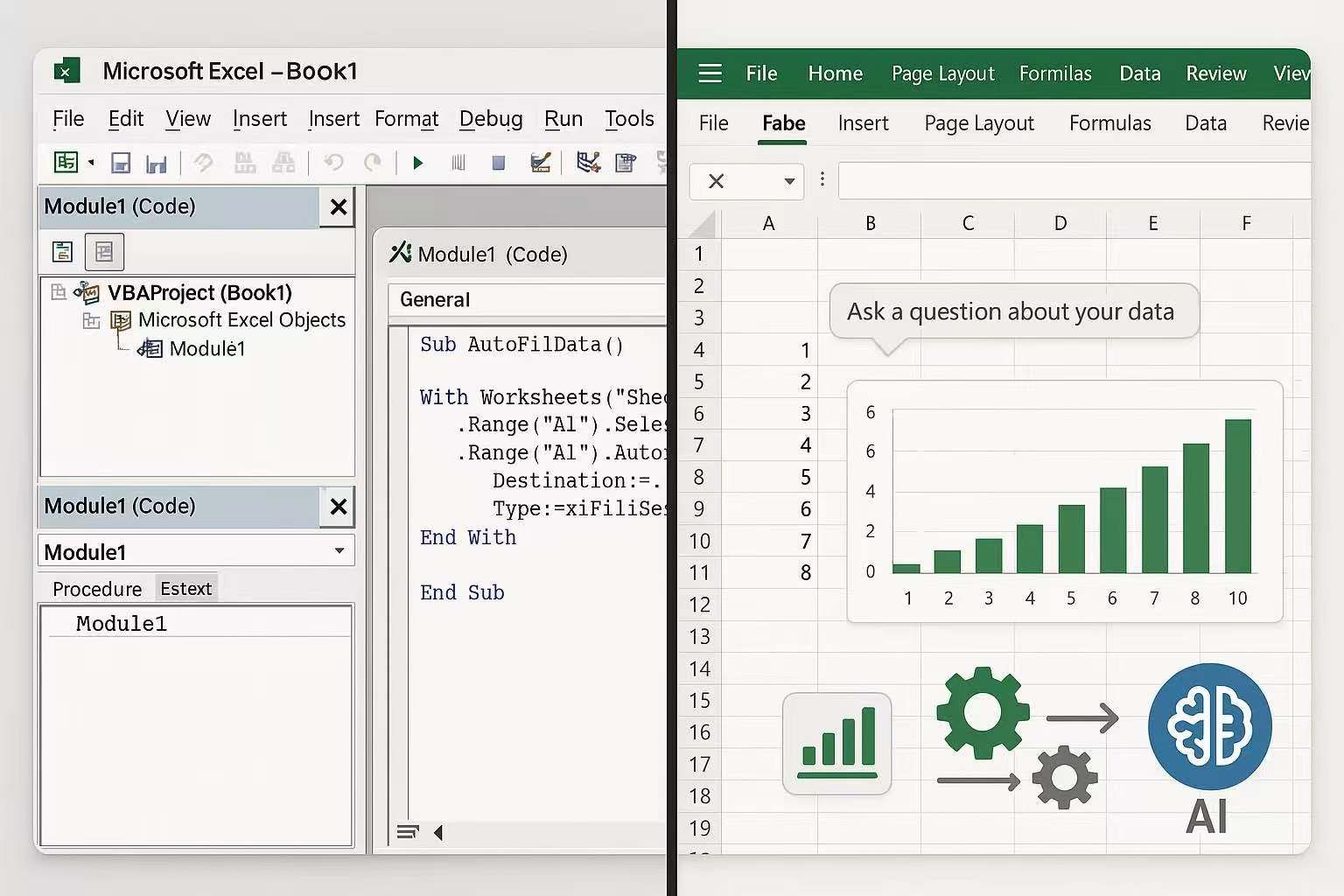
Discover what VBA (Visual Basic for Applications) is and how it transforms Excel automation in the age of AI. Learn the fundamentals of VBA programming, its practical applications, and how modern AI Excel tools are revolutionizing the way we create and implement VBA solutions for enhanced productivity and data analysis.

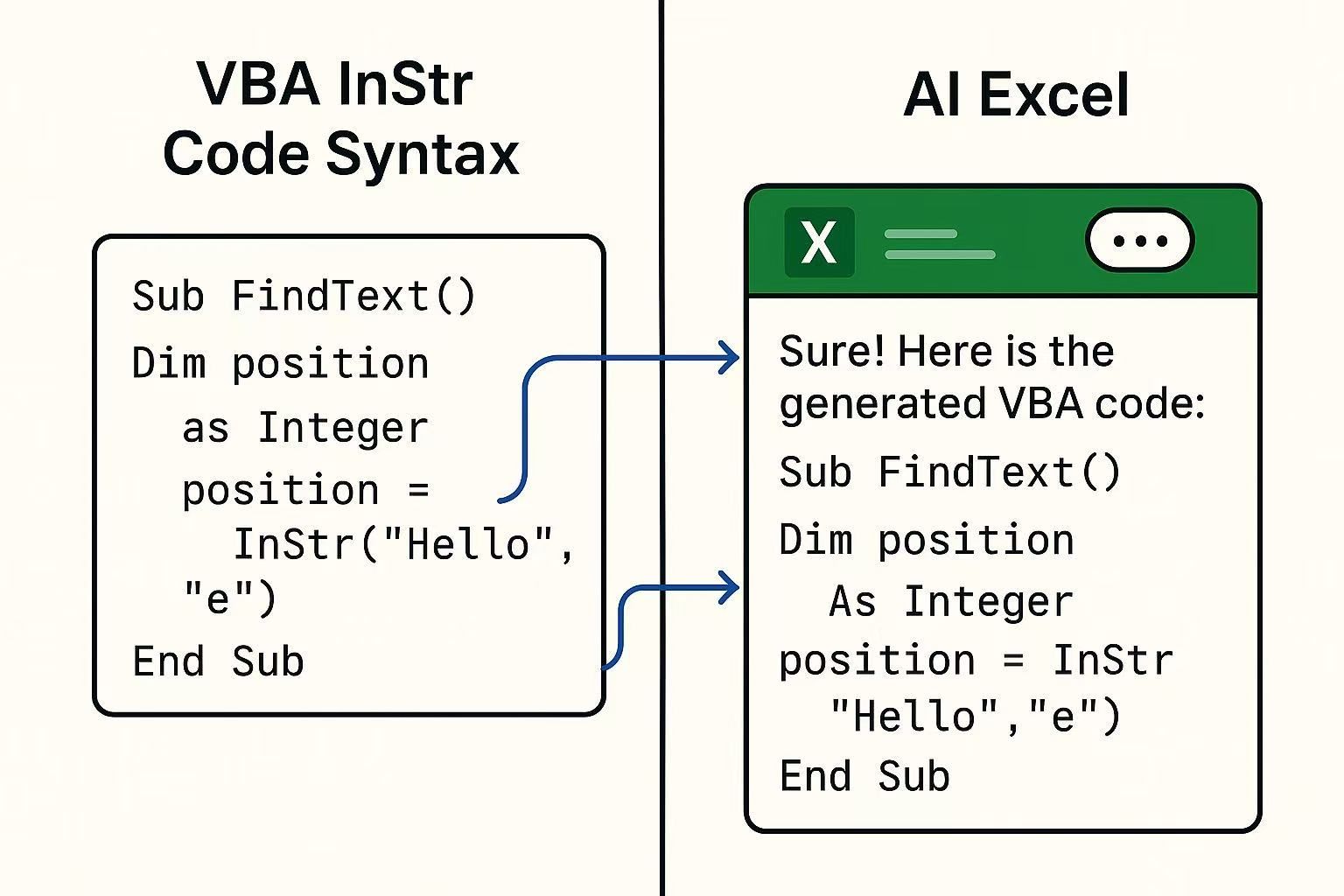
Discover how to leverage VBA InStr function with AI Excel tools for powerful string manipulation and automation. Learn essential programming concepts while utilizing AI assistance for enhanced productivity in data processing workflows.

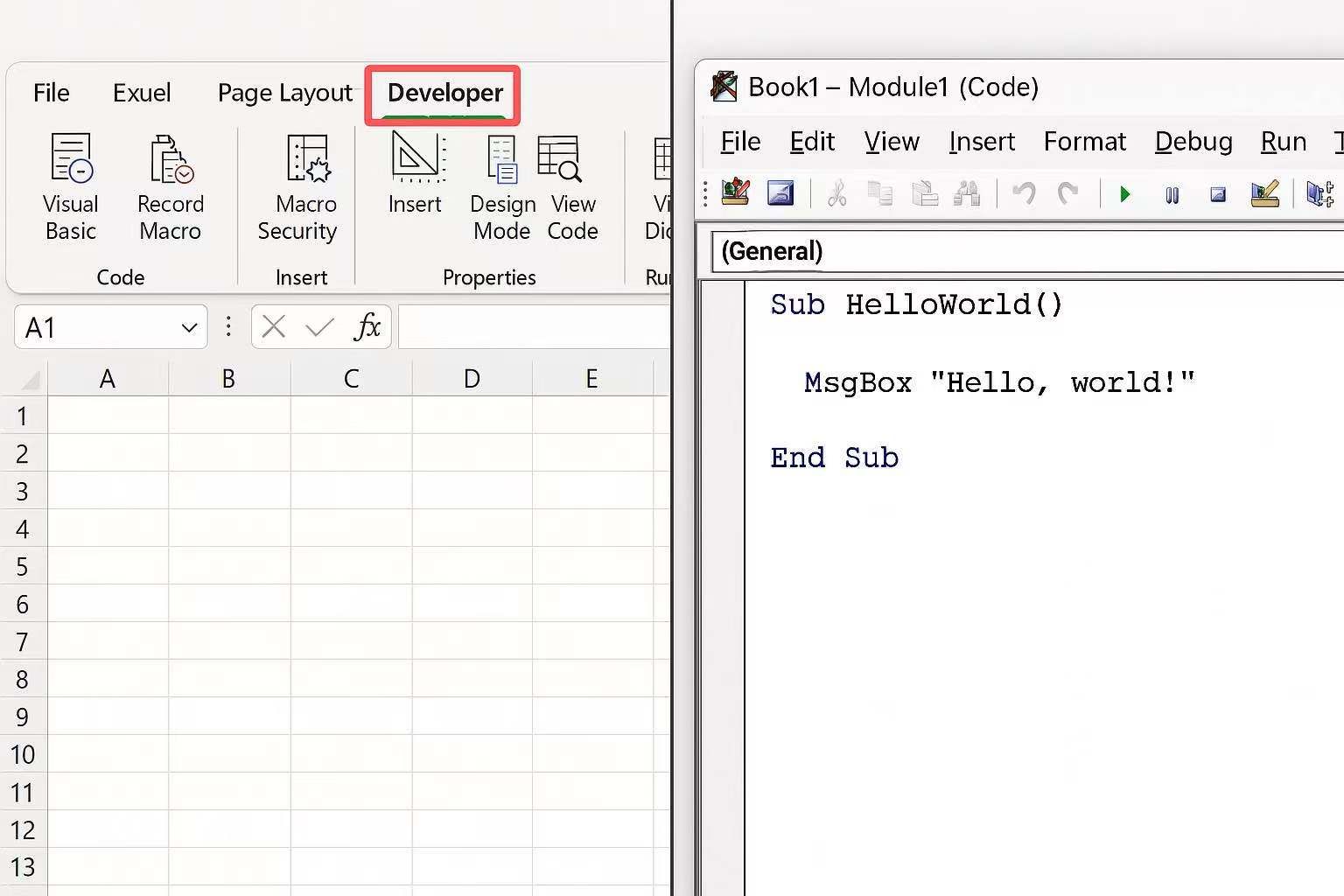
Learn how to open VBA in Excel with step-by-step instructions. Discover keyboard shortcuts, developer tab setup, and AI-powered Excel tools for enhanced productivity and automation.

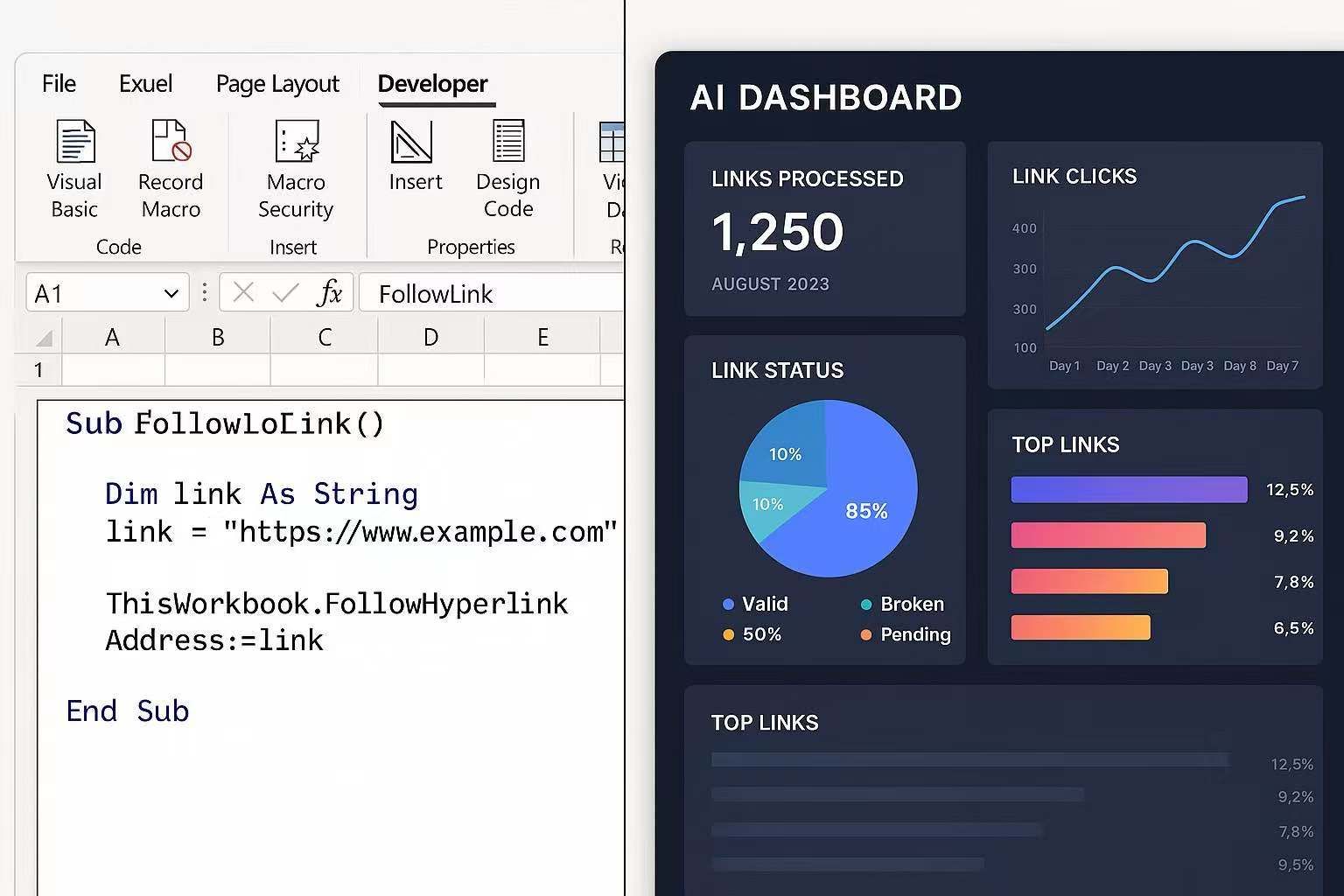
Master VBA link management in Excel with AI-powered solutions. Learn to automate hyperlinks, extract web data, and create intelligent Excel workflows that boost productivity.

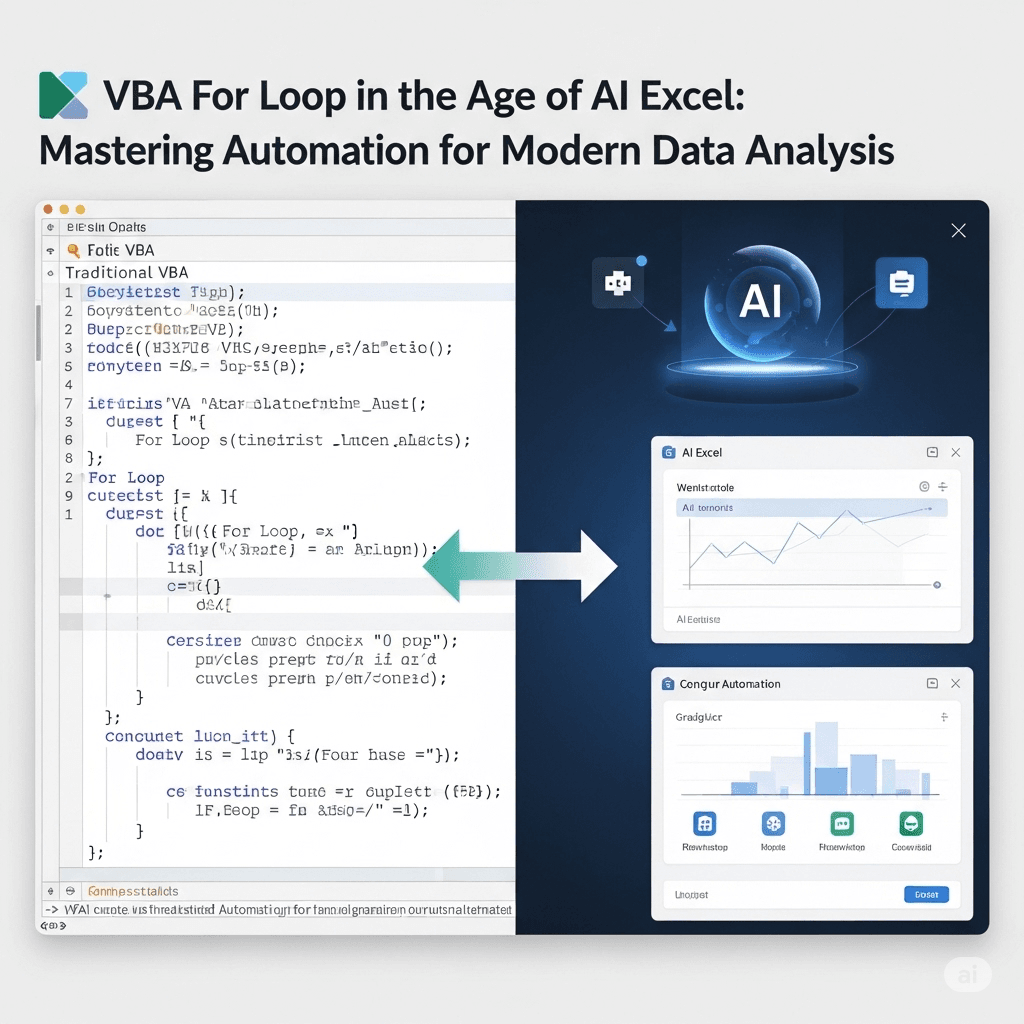
Discover how traditional VBA for loop programming integrates with modern AI Excel tools to create powerful automation solutions. Learn essential programming concepts while leveraging AI capabilities for enhanced productivity and sophisticated data analysis workflows.

This comprehensive guide explores the intersection of artificial intelligence, Microsoft Excel, and Visual Basic for Applications (VBA). As businesses increasingly rely on data-driven decisions, the combination of AI and Excel VBA has emerged as a game-changing solution for automating complex spreadsheet tasks, generating sophisticated formulas, and streamlining data analysis workflows. This article examines the latest AI-powered Excel tools, practical VBA automation strategies, and how professionals can leverage these technologies to enhance productivity and accuracy in their daily operations.

Discover how AI Excel spreadsheet generators are revolutionizing data management and analysis. This comprehensive guide explores the top artificial intelligence tools that automate formula creation, streamline data entry, and enhance productivity for businesses and individuals. Learn about cutting-edge features, benefits, and practical applications that make AI-powered spreadsheet tools essential for modern data workflows.

Tired of wrestling with complex Excel formulas? Discover how AI Excel formula generators are revolutionizing data analysis and spreadsheet management. This comprehensive guide explores the top AI tools, their benefits, and how they empower users to create accurate formulas from natural language, saving time and boosting productivity. Learn how to transform your Excel experience with the power of artificial intelligence.

Discover how artificial intelligence is revolutionizing Microsoft Excel, transforming traditional spreadsheets into intelligent data analysis platforms. This comprehensive guide explores cutting-edge AI tools, automated formula generation, VBA scripting, and advanced data processing capabilities that are reshaping how professionals work with Excel. Learn about the latest AI-powered features, practical applications, and how to leverage artificial intelligence for maximum productivity in your Excel workflows.

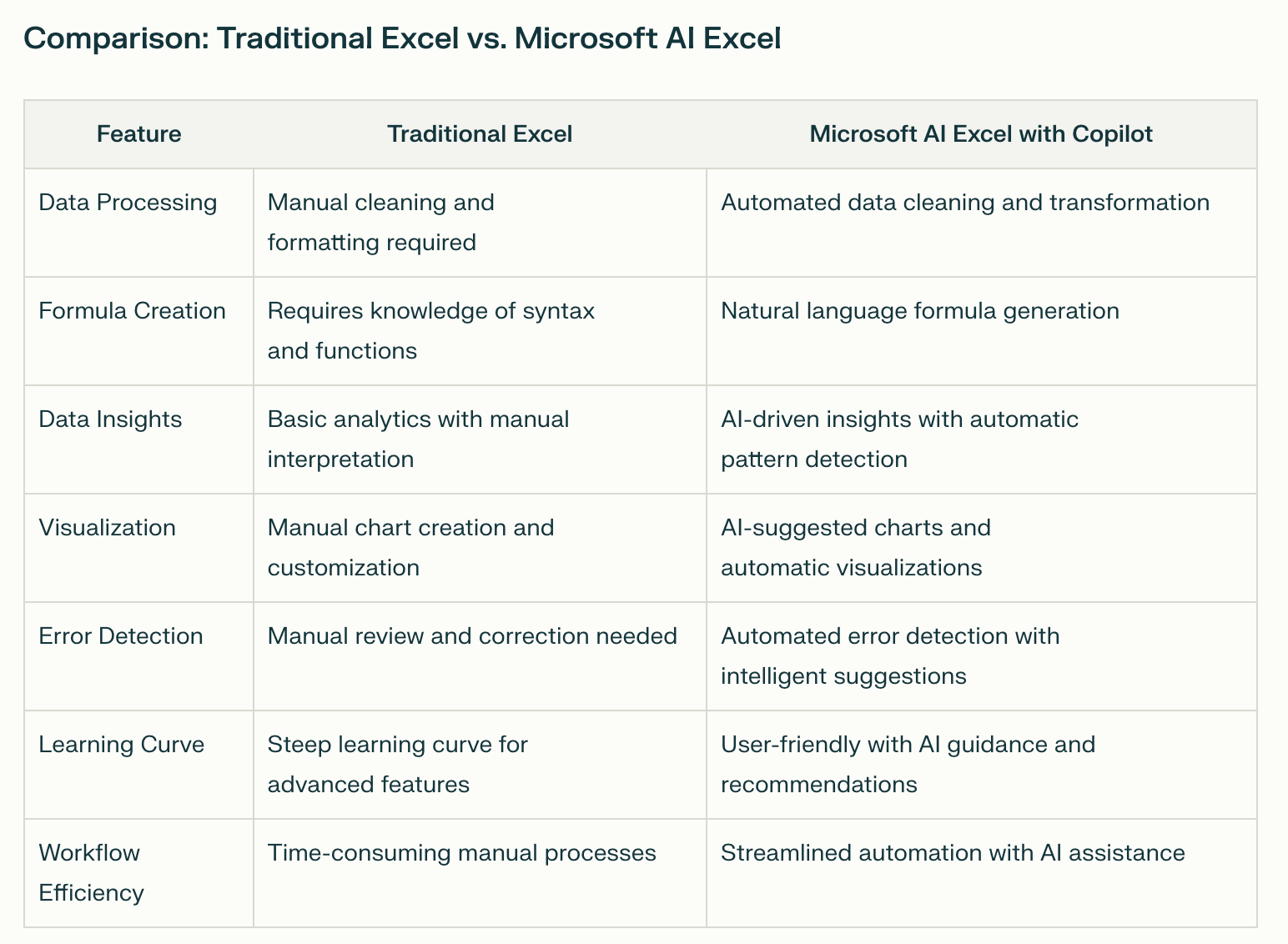
Discover the revolutionary capabilities of Microsoft AI Excel, featuring Copilot integration and advanced artificial intelligence tools that transform traditional spreadsheet workflows. This comprehensive guide explores Microsoft's native AI features, compares them with specialized solutions, and reveals how to maximize productivity through intelligent automation, natural language processing, and advanced data analysis capabilities.

Gone are the days of wrangling rows and columns from scratch. An AI Excel spreadsheet generator can translate a simple prompt like “monthly marketing budget” into a fully formatted workbook—complete with headers, formulas, conditional formatting, and a dashboard—before you even finish your coffee. This guide explains how these generators work, where they shine, and how to weave them into your daily workflow for faster, smarter data management.

Artificial intelligence has moved from buzzword to built-in, turning Microsoft Excel into a data-crunching co-pilot that writes formulas, spots trends, and explains insights in plain English. Whether you’re exploring Microsoft 365 Copilot, the Analyze Data pane, or third-party add-ins that super-charge your workflow, this guide shows you how to put today’s AI features to work—no coding required. You’ll learn what tools exist, how they differ, and the exact clicks and prompts that transform raw rows into confident decisions.

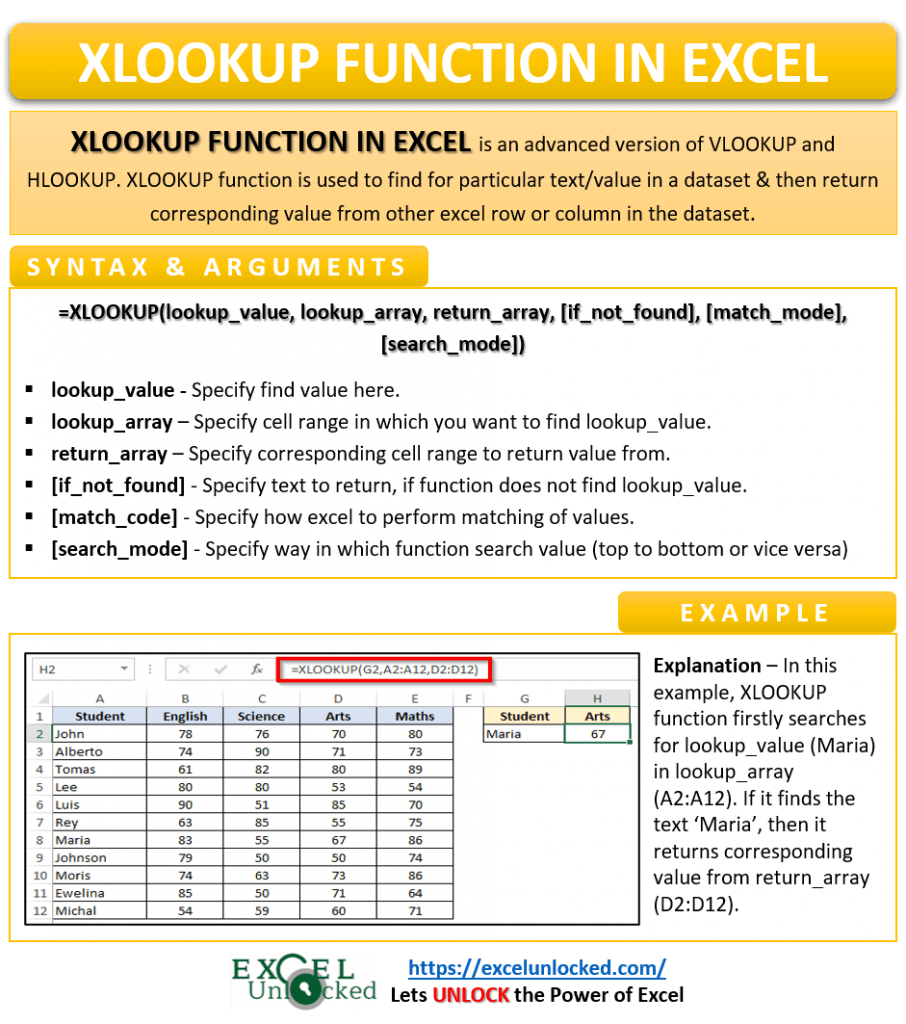
Are you still struggling with VLOOKUP or HLOOKUP errors in Excel? It's time to upgrade your data lookup game! This comprehensive guide dives deep into XLOOKUP, Excel's modern and highly versatile function. We'll explore its syntax, advantages over older lookup functions, practical applications, and advanced tips to help you master data retrieval and manipulation. Get ready to boost your productivity and eliminate lookup frustrations with XLOOKUP!

Artificial-intelligence features like Microsoft Copilot and GPT-powered add-ins are transforming Excel into a tool that cleans data, builds dashboards, and writes formulas in seconds. This guide delivers a crisp, step-by-step blueprint—complete with prompts, tables, and visuals—so U.S. analysts and small-business owners can reclaim hours each week and focus on insights instead of grunt work.

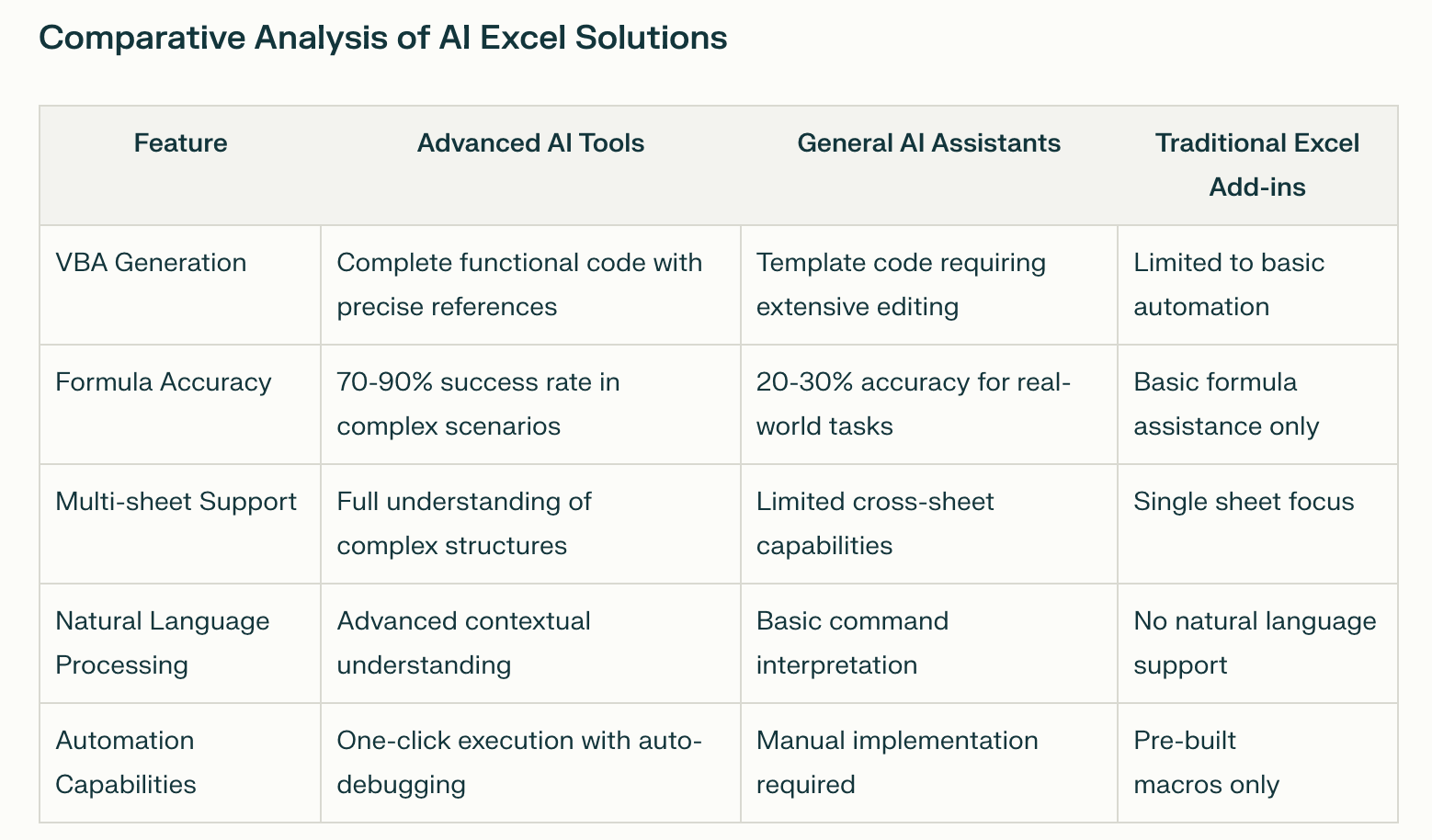
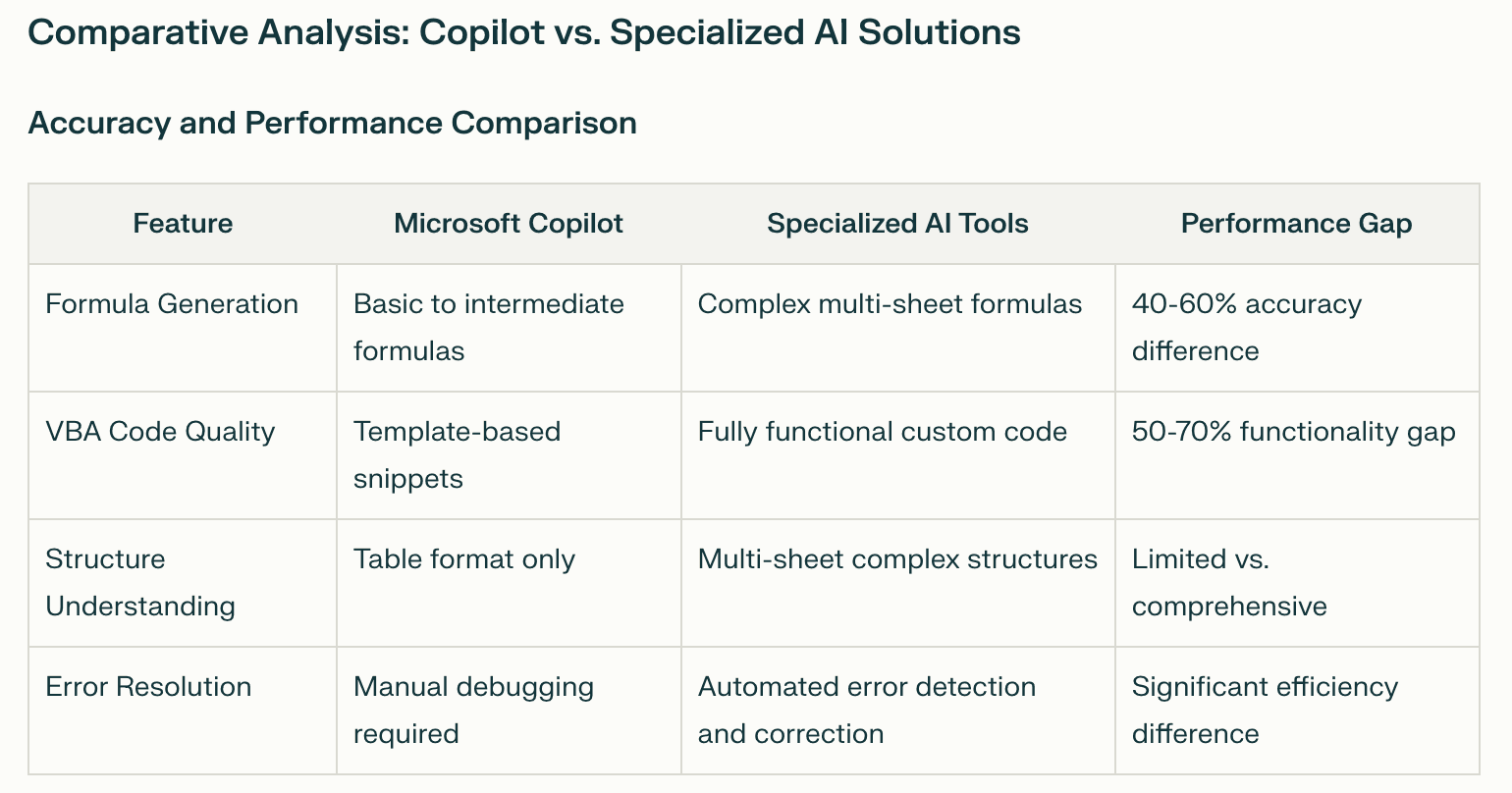
Discover everything you need to know about Microsoft AI Excel Copilot, including its powerful features, subscription requirements, and practical limitations. This comprehensive guide explores Copilot's capabilities for formula generation, data analysis, and automation, while comparing it with advanced AI Excel alternatives that overcome its structural limitations and provide superior accuracy for complex spreadsheet tasks.

Here's a concise summary of the key points about using VBA to open spreadsheets: Key Methods Basic Workbooks.Open for single file access File Dialog approach for user interaction Batch processing for multiple workbooks

The article provides a comprehensive guide on managing window settings in Excel VBA applications, focusing on saving and restoring window layouts for enhanced user experience. The content covers essential aspects of window management through VBA programming.

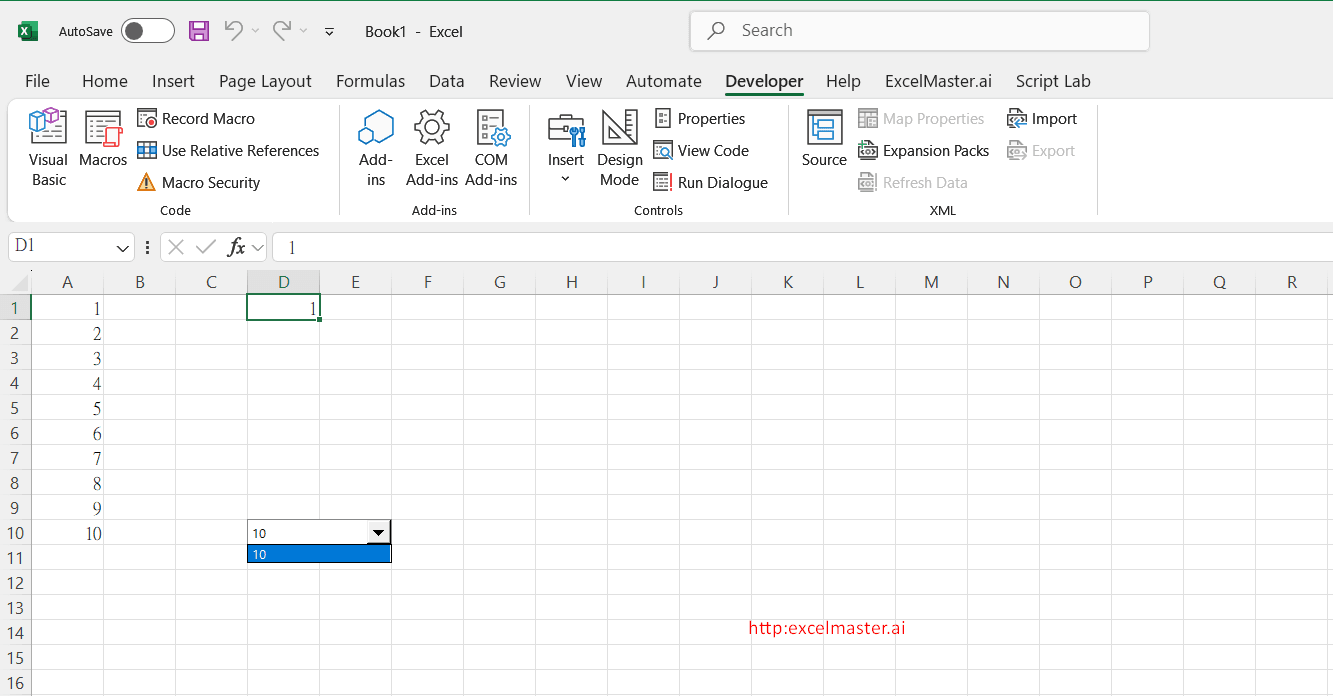
Quick Guide: Filling ActiveX ComboBox in Excel with VBA ActiveX ComboBox is an essential Excel UI element that combines a text box with a dropdown list for efficient data selection. Here's what you need to know: Key Features Creates interactive dropdown menus for data selection Offers greater customization than standard form controls Can be dynamically updated using VBA

This article details strategies for optimizing VBA code in Excel list comparisons, focusing on the Scripting Dictionary method which reduces processing time from hours to minutes. It covers key optimization techniques including using arrays instead of ranges, disabling screen updates, and efficient memory management for large workbooks (30MB+). The text compares three approaches - Dictionary (best for unique values), Arrays (10x faster than ranges), and Range operations (for small datasets) - with a complete code implementation that demonstrates how these optimizations can reduce processing time from 17 to 2 minutes for large datasets.

Quick Summary: Adding Sequential Numbers in Excel with VBA This comprehensive guide explores efficient methods to automate sequential numbering in Excel using VBA macros. Here are the key takeaways: Core Solutions Covered: Two primary VBA implementation methods using Range objects and Column properties Step-by-step code examples for automatic sequence generation Advanced array-based solution for handling large datasets

Adding Sequential Numbered Columns in Excel Using VBA. Key Points VBA automation helps add columns with sequential numbers (0,1,2,3) efficiently Simple implementation requires just 5 steps through the VBA editor Basic code structure can be customized for different numbering needs

Most "Excel AI" tools are assistants — they suggest, you execute. A handful are agents — they execute themselves. The difference decides whether the tool saves you time or just makes you a faster typist.

Excel chokes past ~50,000 rows on heavy operations. Here's how an AI agent uses supervised Python to clean, transform, and aggregate 100,000+ rows in seconds — without leaving Excel.

Watch an Excel AI agent reconcile a 4,217-row bank statement against the GL — flagging mismatches, grouping by category, producing a clean summary. 10 minutes flat.

Watch an Excel AI agent build a complete 3-statement model — IS, BS, CF — from a 4,217-row trial balance, with cross-sheet formula links and one-click rollback.

Looking for a Microsoft Copilot for Excel alternative? See how ExcelMaster's AI agent compares on accuracy, large datasets, pricing, and real workflows.